
:
| Problem Area | Immediate Steps |
|---|---|
| Battery and Charging | Check the charger, cables, and battery level. Try a different outlet. |
| Joystick and Controls | Make sure the joystick is connected well. Reset it if you need to. |
| Free-Wheel Lever | Make sure the lever is locked so the power wheelchair moves safely. |
| Wiring and Connectors | Check for loose or rusty connections. |
| Circuit Breaker | Reset it if the power wheelchair does not work. |
| Error and Beep Codes | Listen for beeps and read the screen for help. |
By doing these steps, you can often fix power wheelchair problems yourself.
Key Takeaways
Always stay safe. Turn off your before checking parts. Work in a clean and safe place.
Begin by checking easy things. Look at the battery charge, power switch, wiring connections, and circuit breaker reset.
Use the with Bluetooth to watch your wheelchair. You can unlock it if it is locked. Read error codes for help.
If your wheelchair will not move, check the freewheel levers. Make sure they are locked. Check that tires are clean and brakes and motor work.
Listen for beep codes and strange sounds. These sounds help you find problems like low battery, motor trouble, or brake faults.
Clean and check your wheelchair often. Tighten any loose parts. Take care of the battery by charging it every night and storing it right.
Use the quick reference table for fast help with common problems. These include no power, joystick problems, or app connection issues.
Call for professional help if problems do not go away. Get help if error codes stay after resets or if safety features like brakes and lights do not work.
Quick Checklist
Safety First
Before you start troubleshooting your power wheelchair, always think about safety. Turn off the device before you check any parts. Make sure the area around you is clear. If you are inside, move away from stairs or sharp corners. If you are outside, find a flat and safe spot. Never try to fix electrical issues while the power is on. If you see smoke, sparks, or smell burning, stop right away and call for help. Safety comes first in every troubleshooting step.
Tip: Keep your hands dry and avoid using metal tools near the battery or wiring. This helps prevent shocks and other accidents.
Power On and Connections
Many power wheelchair issues start with simple power problems. Begin by checking if the power switch is in the “on” position. Look at the battery level on the display or app. If the battery is low or dead, plug in the charger and wait for a while. Sometimes, chargers or outlets do not work. Try a different outlet or charger if you can.
can cause your power wheelchair to stop working. Inspect all cables and connectors for signs of wear, rust, or melting. Make sure everything fits tightly. Over time, connectors can corrode or wires can break, especially if you use your wheelchair outdoors often. . If you see any damage, do not use the device until a professional checks it.
Common causes of power connection failures include:
Loose or damaged wiring and connectors
Blown fuses or tripped circuit breakers after heavy use
Water damage or worn wires from outdoor use
Regular checks of your battery, wiring, and fuses help prevent many issues. These simple troubleshooting tips can save you time and stress.
App and Bluetooth Check
Modern power wheelchair scooters like the use smart technology. If your device will not respond, open the SanLi Care app on your phone. Make sure Bluetooth is turned on. Check if the app shows your device as connected. If not, try restarting your phone and the power wheelchair. Sometimes, the app may lock the device for safety. Unlock it using the app and try again.
If you still have issues, check for updates in the app. Outdated software can cause connection problems. Also, make sure your phone is close to the power wheelchair for a strong Bluetooth signal. If you see error messages or codes in the app, write them down. These can help you or a technician with further troubleshooting.
Note: Many troubleshooting examples start with checking the app and Bluetooth connection. This step often solves simple issues without tools.
Circuit Breaker Reset
Sometimes your power wheelchair may stop working suddenly. This can happen if the circuit breaker trips. The circuit breaker protects your power wheelchair from damage when there is too much current or a short circuit. You need to know how to reset it as part of your troubleshooting steps.
First, turn off your power wheelchair before you touch any parts. Look for the circuit breaker. On the SanLi Care Model S300, you will find the reset button under the seat. This button is easy to reach. If you are not sure where it is, check your user manual or the for a diagram.
Follow these steps to reset the circuit breaker:
Turn off the power wheelchair using the main power switch.
Unplug the charger if it is connected.
Find the circuit breaker reset button under the seat.
Press the reset button firmly. You may hear a click.
Wait a few seconds.
Turn the power wheelchair back on.
Check the display or app to see if the problem is fixed.
Tip: If the circuit breaker trips again right away, do not keep resetting it. This means there may be a bigger problem. You should stop using the power wheelchair and call for help.
Resetting the circuit breaker is a simple troubleshooting step. It can fix many common problems, such as when your power wheelchair will not turn on or move. Sometimes, the circuit breaker trips after you drive over a bump or use the device on a steep hill. It can also trip if you use the power wheelchair for a long time without a break.
You should include the circuit breaker reset in your regular troubleshooting routine. Always check the battery, cables, and connections first. If those look fine, try the circuit breaker reset next. This step can save you time and help you avoid unnecessary repairs.
If you use the SanLi Care Model S300, you can also check the app for error codes. The app may tell you if the circuit breaker needs attention. Write down any error codes you see. This information helps when you talk to support.
Note: Never use metal tools to press the reset button. Use your finger or a plastic tool to stay safe.
By learning how to reset the circuit breaker, you take control of your power wheelchair troubleshooting. This skill helps you stay independent and keeps your device running smoothly.
Power Wheelchair Problems
can happen to anyone, even with advanced models like the SanLi Care Model S300. You may face issues with turning on your device or charging the batteries. Knowing how to spot and fix these problems helps you stay independent and safe.
Power Wheelchair Won’t Turn On
When your power wheelchair won’t turn on, you might feel worried. Stay calm and follow these steps to find the cause. Many common issues have simple solutions.
Battery and Connections
Start by checking the battery. A low battery charge is one of the most common problems. Look at the IPS display or the SanLi Care app to see the battery status. If the or does not hold a charge, you may need a replacement.
Check all cables and connectors. Loose or corroded terminals can stop your wheelchair from working. Make sure the battery connectors fit tightly and show no signs of rust or damage. If you see any melted or frayed wires, stop using the device and ask for help.
Here is a quick checklist for battery and connection troubleshooting:
.
Make sure the charger and power cord are unplugged after charging.
Inspect all cables for damage or loose connections.
Confirm the joystick cable is attached securely.
Set the brake release levers to drive mode.
If the battery drains too quickly, consider replacing it.
Tip: If your wheelchair won’t turn on after checking these steps, . Wait 10–15 seconds, then turn it back on. This simple reset can fix minor glitches.
Circuit Breaker
The circuit breaker protects your power wheelchair from electrical faults. If you use the S300, you will find the reset button under the seat. If your wheelchair stops suddenly, the circuit breaker may have tripped.
Follow these steps:
Turn off the power wheelchair.
Unplug the charger.
Press the reset button under the seat.
Wait a few seconds, then turn the device back on.
If the circuit breaker trips again right away, do not keep resetting it. This could mean a bigger electrical fault. Contact support for help.
App and Display
Modern power wheelchairs like the S300 use smart technology. Check the IPS display for error codes or warning lights. Open the SanLi Care app to see if there are any alerts. Sometimes, the app may lock the device for safety. Unlock it using your phone.
If you see flashing lights or hear beeps, write down the pattern. These signals help you or a technician find the problem. Always check for software updates in the app. Outdated software can cause connection issues.
Note: If you cannot solve the problem with these steps, contact SanLi Care support. Some electrical faults need professional repair.
Power Wheelchair Batteries Won’t Charge
Battery and charging challenges are among the most common issues for power wheelchair users. If your power wheelchair batteries won’t charge, you need to check several things.
Charger and Cables
First, make sure the charger isn’t working before you blame the battery. Plug the charger into a different outlet to test the power source. . If they do not turn on or flash strangely, the charger may be faulty.
. Frayed wires or loose plugs can stop the battery from charging. Use only chargers that match your wheelchair’s voltage and specifications.
Charging Ports
Check the charging port on your power wheelchair. Dirt, debris, or corrosion can block the connection. Clean the port gently with a dry cloth. Make sure the charger fits snugly into the port.
If you see any signs of damage, such as bent pins or melted plastic, stop charging and ask for help. Damaged ports can cause electrical faults and may need professional repair.
Battery Health
. . If your battery drains too quickly or does not hold a charge, it may be time for a replacement.
Here are signs of poor battery health:
The battery gets hot while charging.
The battery looks swollen or leaks.
You need to recharge more often than before.
To keep your battery healthy:
.
Do not interrupt the charging cycle.
Store the battery at room temperature.
Use the correct charger for your device.
Tip: If you still have charging issues after checking the charger, cables, and ports, . Low voltage means the battery may need replacing.
Table: Troubleshooting Battery and Charging Issues
| Step | What to Check | What to Do if Problem Found |
|---|---|---|
| Charger and Cables | Damaged wires, loose plugs, charger lights | Replace charger or cables |
| Charging Port | Dirt, corrosion, bent pins | Clean port or seek professional help |
| Battery Health | Swelling, leaks, overheating, quick drain | Replace battery |
| App and Display | Error codes, battery status, alerts | Follow app instructions or contact support |
problems often start with the . By following these troubleshooting steps, you can solve many common issues yourself. If you cannot fix the problem, contact SanLi Care support for help.
Power Wheelchair Won’t Move
When your power wheelchair won’t move, you may feel frustrated. This problem can happen for many reasons. You can solve most issues by checking a few key areas. The has smart features that help you find and fix problems quickly.
Freewheel Mode
Start by checking the freewheel mode. This mode lets you push the wheelchair by hand when needed. If the freewheel lever is unlocked, the motor will not drive the wheels. You must lock the lever to use the motor.
Follow these steps:
Locate the freewheel levers near the rear wheels.
Make sure both levers are in the locked or “drive” position.
Check the display or app for any alerts about freewheel mode.
If the levers are not locked, your scooter will not move even if it powers on. Always check this first before looking at other parts.
Tip: The SanLi Care Model S300 may show a warning on the IPS display or in the app if the freewheel mode is active. This feature helps you avoid confusion.
Motor and Brakes
Motor and brake problems are common reasons for a scooter not moving. You should check both systems carefully.
Motor and Driving Malfunctions Table
| Category | Common Issues / Causes | Troubleshooting Steps / Notes |
|---|---|---|
| Motor and Driving Malfunctions | Joystick or control module failures; free-wheel lever unlocked | Check joystick connection; ensure free-wheel lever is locked to engage motor drive |
| Battery and Charging Challenges | Poor battery health; improper charging; low battery voltage | Verify battery charge and health; use correct charger; check charger connection |
| Electrical Problems | Loose or corroded wiring and connectors; controller faults | Inspect wiring/connectors for corrosion or looseness; check controller for error codes or faults |
| Circuit Breaker | Tripped circuit breaker | Check and reset circuit breaker if necessary |
| Diagnostic Beep Codes | Joystick error, low battery, motor disconnection, control faults | Listen for beep codes and refer to manual for specific fault diagnosis |
You may notice the motor feels weak or jerky. Sometimes, the for a moment, causing a bump or sudden stop. This can happen if the speed control (potentiometer) has moisture or rust. Wiring problems, like blown fuses or loose connections, can also stop the motor.
Brakes are just as important. If the brakes do not respond, the wheelchair will not move safely. Listen for strange sounds like squealing or grinding. These noises may mean the brake pads or calipers need attention. The uses electromagnetic brakes for smooth stops. If you hear odd sounds or feel the brakes dragging, check for debris or worn parts.
Note: Regular inspection and adjustment of brakes keep your power wheelchair safe. If you cannot fix brake or motor issues, contact a technician.
Tire and Obstacle Check
Tires play a big role in movement. If your power wheelchair stops suddenly, .
Look for debris or objects stuck in the wheels. Even small stones or string can block movement.
Inspect the tires for wear and tear. Worn tires lose grip and may cause the scooter not moving issue.
Make sure the tires have the right pressure. Low pressure makes the motor work harder and drains the battery faster.
Check the omni-wheels on the S300 for smooth rotation. These wheels help you turn in tight spaces.
You should remove any debris right away. Clean the tires with a dry cloth. If you see cracks or flat spots, replace the tires. Keeping the tires in good shape helps prevent many movement problems.
Tip: Regular tire checks help you avoid sudden stops and keep your ride smooth.
If you follow these steps, you can solve most cases where your power wheelchair won’t move. The SanLi Care Model S300’s smart features, like the app and IPS display, make troubleshooting easier. Always check the basics first, then move to more detailed checks if needed.
App Lock/Unlock
Many modern mobility devices use smart technology for extra safety. The SanLi Care Model S300 lets you control your power wheelchair with a mobile app. This app can lock or unlock your device. If your power wheelchair will not move, the app lock might be on.
You should check the app first. Open the SanLi Care app on your smartphone. Look for the lock icon or a message that says the device is locked. If you see this, tap the unlock button in the app. Wait for the app to confirm the unlock. You may hear a beep or see a message on the IPS display.
Sometimes, the app locks the device for safety. This can happen if you press the lock button by mistake. The app may also lock the power wheelchair if it senses a problem, like a steep slope or an obstacle. The AI safety system helps keep you safe in these situations.
Follow these steps to unlock your device:
Open the SanLi Care app on your phone.
Make sure Bluetooth is on and your phone is close to the power wheelchair.
Check the app for a lock icon or alert.
Tap the unlock button if the device is locked.
Wait for the app or display to show that the device is unlocked.
Try moving the power wheelchair again.
Tip: If the app does not connect, restart your phone and the power wheelchair. Make sure you have the latest version of the app.
If you still cannot unlock the device, check for error codes in the app or on the display. Write down any codes you see. These codes help support teams solve the problem faster.
The app lock/unlock feature gives you more control and security. You can lock your power wheelchair when you leave it in public places. This helps prevent theft or misuse. Always remember to unlock the device before you try to move.
Electric Wheelchair Troubleshooting
When you face electric wheelchair troubleshooting, you want clear steps that help you fix problems fast. The gives you smart tools, but you still need to know what to check when things go wrong. This section covers joystick and control issues, app and Bluetooth problems, and how to reset your system.
Joystick and Controls
The joystick is the main way you control your wheelchair. If it stops working, you may feel stuck. Many common wheelchair faults start with the joystick or its connections.
Calibration
Sometimes, your joystick acts strange or does not respond. You may notice the wheelchair moves on its own or does not move at all. This can happen if the joystick needs calibration. You should:
Make sure the joystick is in the center (neutral) position before you turn on the power.
Check that the joystick cable is fully connected to the control module.
Inspect for loose or corroded wires. These can cause the joystick to stop working.
Use the SanLi Care app to adjust joystick sensitivity if needed.
If you see , the system may need recalibration or a new joystick. Always follow the manufacturer’s steps for calibration. This simple troubleshooting step can fix many electric wheelchair problems.
Error Codes
Error codes help you find the cause of common wheelchair faults. The S300 shows codes on the IPS display and in the app. Listen for beep codes, too. For example, one beep often means a joystick error. Write down any codes you see. You can look them up in your manual or share them with support.
Tip: If your power wheelchair joystick is not working, check for error codes first. This saves time and helps you fix the problem faster.
App and Bluetooth Issues
Smart wheelchairs like the S300 use Bluetooth and apps for control. Sometimes, you may have trouble connecting your phone or using the app. Here are some :
| Issue Category | Description of Issues | User Impact / Consequence | Suggested Fixes |
|---|---|---|---|
| Bluetooth Connectivity | Disconnections when out of range or due to signal problems. | You may lose control or see data errors. | Move closer to the wheelchair; restart Bluetooth; reconnect in the app. |
| Software/App Glitches | App may freeze or not show real-time updates. | You may get slow feedback or wrong info. | Update the app; restart your phone and wheelchair. |
| Notifications | Too many alerts about disconnections or battery. | You may turn off alerts and miss important info. | Adjust notification settings in the app. |
| Hardware Issues | Bulky Bluetooth parts or tangled cables. | You may find it hard to use the wheelchair comfortably. | Check cables for damage; keep them tidy and out of the way. |
You may also see error messages in the app. If you do, write them down. Sometimes, a simple troubleshooting step like restarting the app or phone fixes the issue. If not, check for loose cables or try reconnecting Bluetooth.
System Reset
If you try all the above and still have problems, a system reset can help. The S300 lets you reboot the system easily. To reset:
Turn off the power using the main switch.
Wait 10 seconds.
Turn the power back on.
Check the display and app for updates.
A reset can clear minor faults, fix sleep mode issues, and restore normal function. If the wheelchair still does not work, check for loose cables or signs of controller faults. You may need to contact support for help with more complex .
Note: Regular troubleshooting keeps your wheelchair safe and reliable. Always check the basics before calling for help.
Noises and Comfort
Unusual Sounds
Sometimes, your power wheelchair scooter makes new sounds. These sounds can help you find problems early. Listen for beeps, clicks, buzzing, or jerky noises. Each sound usually means something different is wrong.
Motor or Gearbox
Motors and gearboxes should work quietly and smoothly. If you hear jerky moves or strange noises, the motor might be working too hard. Clicking or buzzing sounds can mean there is an electrical problem. This could be with the wiring or controller. You might also hear beeps from your scooter. These beeps help you know what is wrong.
Here is a table that shows what mean:
| Beep Code (Number of Beeps) | Meaning | Indication / Cause | Troubleshooting Steps |
|---|---|---|---|
| 1 beep | Low battery voltage | Battery not charged | Charge battery fully; replace if needed |
| 3 beeps | Persistent low battery charge | Battery deteriorating | Ensure proper charging; replace battery if issue persists |
| 4 beeps | Current limit timeout | Overload or electrical issue | Restart device; check for overload or obstructions; seek help if unresolved |
| 6 beeps | Throttle not in neutral at startup | Throttle lever not centered | Center throttle before turning on |
| 7 beeps | Throttle potentiometer issue | Faulty throttle potentiometer | Inspect throttle; replace if necessary |
| 8 beeps | Motor voltage error | Loose motor cables, wiring issues, controller problems | Check motor cable connections; inspect wiring; consult professional if needed |
| 9 beeps | Electric brake not connected | Loose brake wiring or corrosion | Reconnect brake cables; clean or replace damaged parts |
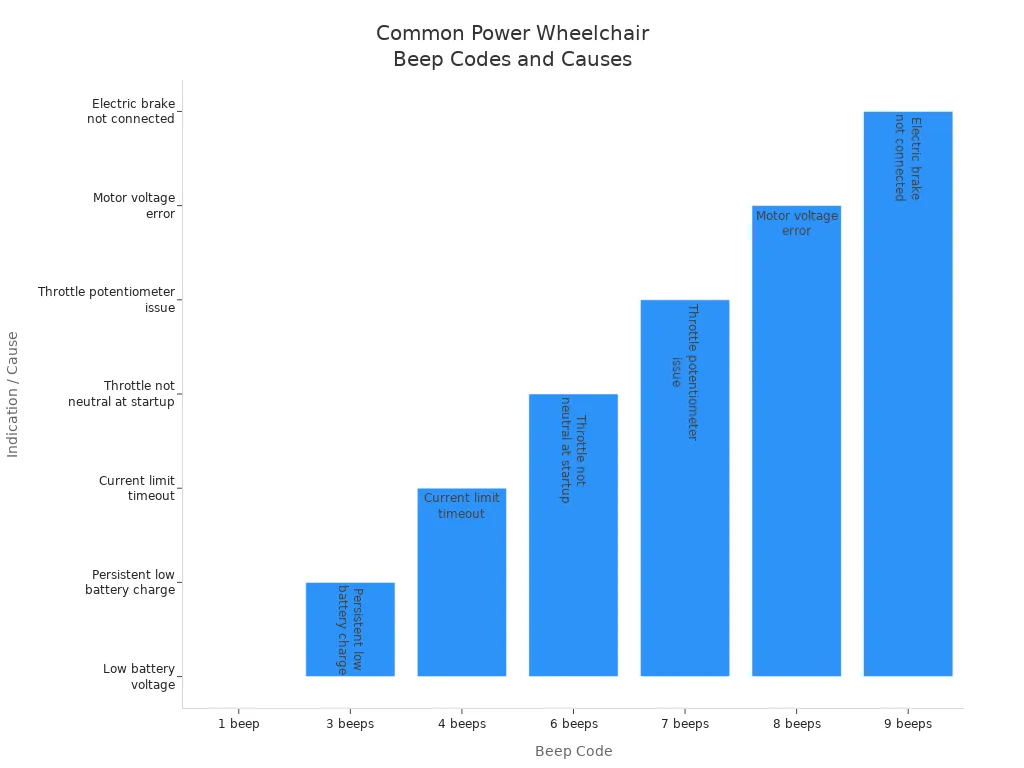
Tip: If you hear beeps or odd noises, check the battery, throttle, and wiring first. These checks often fix the problem.
Debris in Wheels
Things stuck in the wheels can make grinding or scraping sounds. Small rocks, string, or dirt can get caught in the omni-wheels or back wheels. This can make your ride bumpy or stop the scooter from moving well. Check the wheels often and take out anything stuck. Wipe the wheels with a dry cloth to keep them clean.
can mean the motor is working too hard.
Clicking or buzzing sounds can show electrical problems.
Checking tires and wheels often helps stop bigger problems.
Seat and Armrest
How your is important for comfort and safety. You can change these parts to fit your body better.
Adjustments
You can change the seat height, backrest angle, armrest height, and controller spot on many scooters. These changes help you sit up straight and feel less tired or sore. When your seat and armrests fit right, you feel more steady and comfortable.
Set the seat height so your feet are flat on the footrests. This keeps your hips in line and lowers pressure on your legs.
Move the backrest to support your lower or upper back, based on what you need.
Raise or lower the armrests so your elbows are relaxed. If armrests are too low, you might slouch. If they are too high, your shoulders can get sore.
Make sure the seat width and depth fit your body. This stops rubbing, poor blood flow, and feeling unsteady.
Note: Check and adjust your seat and armrests often. Small changes can really help your .
Loose Parts
Loose seat or armrest parts can make rattling or squeaking sounds. These noises can bother you or make you feel unsafe. Look for loose bolts or screws and tighten them if needed. If you notice wobbling or shifting, fix it right away. Keeping all parts tight helps you ride safely and feel good.
A good fit stops pressure sores, falls, and muscle pain.
Occupational therapists can help you find the best settings for you.
By listening for strange sounds and making comfort changes often, you help your power wheelchair scooter work well and stay safe.
When to Call for Help
Persistent Issues
You can fix many power wheelchair problems by following simple steps. But sometimes, the same problem keeps happening or does not go away. If this happens, you should get . Here are signs you need expert help: – . This might mean the brakes are broken or worn out. – Lights or indicators stop working. These are important for safety and could mean there is an electrical problem. – The suspension feels weak. If your ride is bumpy or not smooth, the suspension may need fixing. – You hear strange sounds from your scooter. Clicking, grinding, or buzzing can mean something is loose or broken. – The scooter stops working or will not move, even after you check the battery and fuses. If you see any of these problems, do not try to fix them yourself. Certified technicians have special tools and know how to keep your device safe.
Error Codes
Your SanLi Care Model S300 uses smart technology to help you find problems. The IPS display and app show error codes or warning lights when something is wrong. Some codes are easy to fix, like a low battery or a loose cable. Other codes mean you need professional wheelchair servicing or repair. You should call for help if you see: – Error codes that stay after you reset the system. – The scooter keeps shutting down or beeping, even after you check everything. – Codes that show motor, brake, or controller problems. – Warnings about overheating, battery failure, or system errors. > Tip: Write down any error codes or messages before you call for repairs. This helps the technician fix the problem faster.
Warranty and Support
SanLi Care gives you a one-year warranty for the Model S300 frame and battery. You also get 24/7 support after you buy it. If you cannot fix the problem with simple troubleshooting, contact SanLi Care support for help. The team can give you more steps or set up a repair if needed. Here is a quick table to help you know when to call for help:
| Situation | What to Do |
|---|---|
| Persistent or unclear issues | Contact wheelchair servicing |
| Error codes that will not clear | Call for repairs |
| Safety concerns (brakes, lights) | Seek repair services |
| Warranty questions | Reach out to support |
Never ignore signs like a . These problems can make your scooter unsafe or uncomfortable. Regular wheelchair servicing and quick repairs keep your scooter working well and help you stay independent.
Maintenance Tips
Battery Care
Taking care of your power wheelchair scooter’s battery is important. It helps you avoid sudden problems and keeps you moving. Always that came with your scooter. Charge your battery every night after using your scooter. This keeps the battery healthy. Do not let the battery run all the way down. Try to . For lithium-ion batteries, you can charge them more often without hurting them.
Keep your battery in a warm and dry place. Very hot or cold weather can hurt the battery. If you will not use your scooter for a long time, . Check it every few weeks. Do not leave the charger plugged in for more than a day. After charging, unplug the charger to stop overcharging. Wipe the battery ends with a dry cloth. Put a little grease on them to stop rust.
Tip: Drive gently, keep your speed steady, and make sure your tires have enough air. These things help your battery last longer. Carrying heavy things or driving on rough ground uses up the battery faster.
If your battery gets old or does not hold a charge, . Getting a lithium battery can help you go farther and last longer. A smart battery monitor lets you check the battery’s voltage and temperature. This helps you take better care of your battery.
Cleaning and Inspection
Cleaning and checking your scooter often is important. Wipe your scooter every day with a damp cloth. Do not soak it or use strong cleaners. Look at the plastic covers and brakes. Listen for strange motor sounds. Each week, check the tires for damage and see if they have enough air. Make sure the joystick and controller are tight.
Once a month, look at the frame for cracks. Tighten any loose bolts or screws. Check the anti-tip wheels, armrests, and foot supports. Test the brakes by moving the joystick and making sure the scooter stops fast. Clean the battery area and look at all wires for rust or damage.
Note: Get a professional to check your scooter . A trained person can find problems early and do deep cleaning or repairs. This keeps your scooter safe.
like joints and hinges, but not too much. Test the horn, lights, and turning often. Doing these things helps you avoid surprise repairs and keeps your scooter working well.
Storage and Travel
Storing and moving your scooter the right way keeps it safe and makes it last longer. with good air flow. Use a waterproof cover to protect it from dust and sun. Keep the area neat and use racks or hooks for your things.
If you will not use your scooter for a long time, take out the battery. Store the battery in a cool, dry place. Charge it to about half before putting it away. For outdoor storage, use a weatherproof cover. You can also use a locked shed for extra safety. Check your insurance to make sure your scooter is covered while stored.
When you travel, if you can. Before flying, check the airline’s rules for size and weight. Practice putting your scooter in cars and look for charging spots before you go. Clean your scooter before and after trips to stop dirt from building up. Check your scooter before trips to avoid problems while traveling.
Tip: Bring a spare, fully charged battery if you plan to go far or over rough ground.
Good maintenance habits save you time and money. They help you avoid repairs and keep your power wheelchair scooter ready for every trip.
Quick Reference Table
When you need fast answers, use this quick reference table. It helps you find the right step for common power wheelchair scooter problems. You can check each area and follow the suggested action. This table works well for the and most modern scooters.
| Problem or Symptom | What to Check First | Next Step if Not Fixed | Extra Tip or Note |
|---|---|---|---|
| Will not turn on | Power switch, battery charge | Check cables, reset circuit breaker | Use the app to check battery status |
| Won’t move | Freewheel lever, app lock | Inspect motor, brakes, tires | Look for error codes on display or app |
| Battery not charging | Charger, cables, charging port | Try another outlet, check battery | Clean port with dry cloth |
| Joystick not working | Cable connection, neutral position | Calibrate joystick, check for codes | Restart device and app |
| Strange noises | Wheels, debris, loose parts | Inspect motor, brakes | Remove objects from omni-wheels |
| Error code or beeping | Read display or app | Follow code instructions | Write down code for support |
| Brakes not responding | Brake lever, wiring | Check electromagnetic brake | Listen for grinding or squealing |
| App/Bluetooth won’t connect | Bluetooth on, close to device | Restart phone and scooter | Update app to latest version |
| Lights or horn not working | Power on, wiring | Inspect switches, check fuses | Test after each step |
| Comfort issues (seat/armrest) | Adjust seat, armrest, backrest | Tighten bolts, check for damage | Ask for help if unsure |
Tip: Always start with the simplest check. Many problems have easy fixes.
How to Use This Table
Find your problem in the first column.
Try the first check in the second column.
If the problem stays, move to the next step.
Read the extra tip for more help.
Example: If your S300 will not move, check the freewheel lever and make sure the app does not show a lock. If it still will not move, look at the motor, brakes, and tires. Check the display or app for error codes.
Common Symbols and What They Mean
🔋 Battery: Check battery level or charging
🔑 Lock: Device may be locked in the app
⚠️ Warning: Look for error codes or alerts
🛠️ Tools: You may need to tighten or adjust parts
Note: If you cannot fix the problem after these steps, contact SanLi Care support. Write down any error codes or symptoms before you call.
This quick reference table helps you solve most issues fast. Keep it handy for daily use or travel. You stay in control and keep your power wheelchair scooter running smoothly.
You can solve most power wheelchair scooter problems by checking the basics first. Use the to monitor your S300 and get help when you need it. Regular cleaning and battery care keep your scooter running well. Always put safety first. If you see warning codes or your scooter will not work, contact support. Remember, you have the tools to stay independent and enjoy your mobility every day.
Tip: Stay proactive with maintenance and use your resources for a smoother ride!
FAQ
How do you reset the SanLi Care Model S300?
You can reset the S300 by turning off the main power switch, waiting 10 seconds, and turning it back on. Press the reset button under the seat if needed. This clears most minor faults.
What should you do if the app will not connect to your wheelchair?
First, check that Bluetooth is on and your phone is close to the S300. Restart both your phone and the wheelchair. Update the app if needed. Try reconnecting through the app’s settings.
Why does your S300 beep or show error codes?
Beeping or error codes mean the S300 has detected a problem. Check the display or app for the code. Look up the code in your manual or app. Follow the suggested steps to fix the issue.
How often should you charge the battery?
Charge the battery every night after use. Do not let it run completely flat. Keeping the battery charged helps it last longer and keeps your S300 ready for use.
What should you check if your S300 will not move?
Check that the freewheel lever is locked. Make sure the app does not show a lock. Inspect the tires for debris. Look for error codes on the display or app. These steps solve most movement issues.
Can you take the S300 on an airplane?
Yes, the S300 is . Fold it and remove the battery if required by the airline. Check with your airline for specific rules before you travel.
How do you keep your S300 clean and safe?
Wipe the frame and wheels with a damp cloth. Check for loose bolts or parts. Store the S300 indoors in a dry place. Regular cleaning and inspection help prevent problems.
Who should you contact if you cannot fix a problem?